By Aderson Oliveira on
Thursday, April 26, 2012
 This video will show you how to setup the Comments and Ratings module from PackFlash so you can allow your users to interact with your site's content in DotNetNuke. This is part 2 of 2. This video will show you how to setup the Comments and Ratings module from PackFlash so you can allow your users to interact with your site's content in DotNetNuke. This is part 2 of 2.
Read More »
|
By Aderson Oliveira on
Tuesday, April 24, 2012
This video will show you how to setup the Comments and Ratings module from PackFlash so you can allow your users to interact with your site's content in DotNetNuke. This is part 1 of 2.
Read More »
|
By Aderson Oliveira on
Wednesday, April 18, 2012
This video will show how to setup news and articles related features in DotNetNuke using the PackFlash News Module which is part of the PackFlash Constellation Suite. We will start by looking at our end goal and work our way up. This is part 4 of 4.
Read More »
|
By Aderson Oliveira on
Tuesday, April 17, 2012
This video will show how to setup news and articles related features in DotNetNuke using the PackFlash News Module which is part of the PackFlash Constellation Suite. We will start by looking at our end goal and work our way up. This is part 3 of 4.
Read More »
|
By Aderson Oliveira on
Monday, April 16, 2012
This video will show how to setup news and articles related features in DotNetNuke using the PackFlash News Module which is part of the PackFlash Constellation Suite. We will start by looking at our end goal and work our way up. This is part 2 of 4.
Read More »
|
By Aderson Oliveira on
Thursday, April 12, 2012
This video will show how to setup news and articles related features in DotNetNuke using the PackFlash News Module which is part of the PackFlash Constellation Suite. We will start by looking at our end goal and work our way up. This is part 1 of 4.
Read More »
|
By Aderson Oliveira on
Tuesday, April 10, 2012
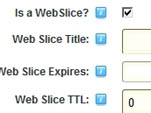
 This video will show you what a Web Slice is in DotNetNuke. I cannot say that Web Slices are popular as it is a feature of IE only, but at least you know. This video will show you what a Web Slice is in DotNetNuke. I cannot say that Web Slices are popular as it is a feature of IE only, but at least you know.
Read More »
|
By Aderson Oliveira on
Wednesday, April 4, 2012
 This video will show you the new collaboration modules available on the new DNN 6.2, which is still in Alpha Version. It will focus on the Member Directory and Messaging Modules. This is part 2 of 2. This video will show you the new collaboration modules available on the new DNN 6.2, which is still in Alpha Version. It will focus on the Member Directory and Messaging Modules. This is part 2 of 2.
Read More »
|
By Aderson Oliveira on
Tuesday, April 3, 2012
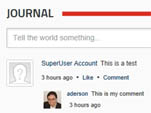
This video will show you the new collaboration modules available on the new DNN 6.2, which is still in Alpha Version. It will focus on the Journal Module. This is part 1 of 2.
Read More »
|
By Aderson Oliveira on
Thursday, March 29, 2012
 This video will give you an introduction to VivoSocial package of modules for DotNetNuke. With this package you will be able to build your own community based website and best of all, it's FREE! This is part 2 of 2. This video will give you an introduction to VivoSocial package of modules for DotNetNuke. With this package you will be able to build your own community based website and best of all, it's FREE! This is part 2 of 2.
Read More »
|
By Aderson Oliveira on
Tuesday, March 27, 2012
This video will give you an introduction to VivoSocial package of modules for DotNetNuke. With this package you will be able to build your own community based website and best of all, it's FREE! This is part 1 of 2.
Read More »
|
By Aderson Oliveira on
Tuesday, March 20, 2012
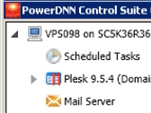
This video will go through the ins and outs of hosting a DNN site on PowerDNN cloud servers. It will also demonstrate their own server tool called PowerDNN Control Suite which helps people get up and running quickly with their DNN sites. This is part 3 of 3.
Read More »
|
By Aderson Oliveira on
Thursday, March 15, 2012
This video will go through the ins and outs of hosting a DNN site on PowerDNN cloud servers. It will also demonstrate their own server tool called PowerDNN Control Suite which helps people get up and running quickly with their DNN sites. This is part 2 of 3.
Read More »
|
By Aderson Oliveira on
Monday, March 12, 2012
This video will go through the ins and outs of hosting a DNN site on PowerDNN cloud servers. It will also demonstrate their own server tool called PowerDNN Control Suite which helps people get up and running quickly with their DNN sites. This is part 1 of 3.
Read More »
|
By Aderson Oliveira on
Thursday, March 8, 2012
This video will show an alternative to the default Page Management module from DotNetNuke core called Tabs Manager. Amongst other features it has bulk commands to be applied to multiple pages at the same time. This is part 2 of 2.
Read More »
|
By Aderson Oliveira on
Tuesday, March 6, 2012
This video will show an alternative to the default Page Management module from DotNetNuke core called Tabs Manager. Amongst other features it has bulk commands to be applied to multiple pages at the same time. This is part 1 of 2.
Read More »
|
By Aderson Oliveira on
Thursday, March 1, 2012
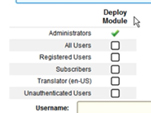
This video will show what you need to do in order to disallow even an admin user from deploying a module in a page in DotNetNuke.
Read More »
|
By Aderson Oliveira on
Tuesday, February 28, 2012
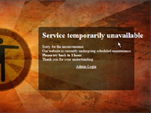
This video will show how you can use a module called Maintenance Mode to show a message telling your users that your DotNetNuke site is under maintenance.
Read More »
|
By Aderson Oliveira on
Friday, February 24, 2012
This video will show how you can use the Portal Signup Module to charge to allow users to create their own portals in DotNetNuke. This is part 2 of 2.
Read More »
|
By Aderson Oliveira on
Wednesday, February 22, 2012
This video will show how you can use the Portal Signup Module to charge to allow users to create their own portals in DotNetNuke. This is part 1 of 2.
Read More »
|
By Aderson Oliveira on
Thursday, February 16, 2012
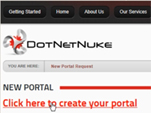
 This video will show how to allow a non-super user to create portals using just DotNetNuke features out of the box. This is part 2 of 2. This video will show how to allow a non-super user to create portals using just DotNetNuke features out of the box. This is part 2 of 2.
Read More »
|
By Aderson Oliveira on
Tuesday, February 14, 2012
This video will show how to allow a non-super user to create portals using just DotNetNuke features out of the box. This is part 1 of 2.
Read More »
|
By Aderson Oliveira on
Thursday, February 9, 2012
This video will show where DotNetNuke came from.
Read More »
|
By Aderson Oliveira on
Tuesday, February 7, 2012
This video goes back to the basics and explains what DotNetNuke is.
Read More »
|
By Aderson Oliveira on
Thursday, February 2, 2012
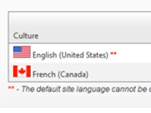
This video show how you can change the default language of your DNN site from English to another language.
Read More »
|
By Aderson Oliveira on
Tuesday, January 31, 2012
This video show you how to fix your DotNetNuke site in case the editor is not saving after the upgrade.
Read More »
|
By Aderson Oliveira on
Friday, January 27, 2012
This video will give you a quick introduction to the basic concepts behind the DotNetNuke Forum module.
Read More »
|
By Aderson Oliveira on
Thursday, January 19, 2012
This video will show how you can create an installation package out of an already installed module in DotNetNuke.
Read More »
|
By Aderson Oliveira on
Thursday, January 12, 2012
This video will go through some password configuration options that will allow you to further customize how passwords work in DotNetNuke. This is part 2 of 2.
Read More »
|
By Aderson Oliveira on
Tuesday, January 10, 2012
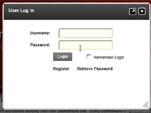
This video will go through some password configuration options that will allow you to further customize how passwords work in DotNetNuke. This is part 1 of 2.
Read More »
|
By Aderson Oliveira on
Friday, January 6, 2012
This video will close some loose ends from the previous video 292. It will show how you can activate content localization in DotNetNuke so you can have content entered in multiple languages.
Read More »
|
By Aderson Oliveira on
Thursday, January 5, 2012
This video will show how you can activate content localization in DotNetNuke so you can have content entered in multiple languages.
Read More »
|
By Aderson Oliveira on
Saturday, December 31, 2011
This video will go through the setup of the PostIT Blog module with the Stronghold skin. PostIT is a great simple blog module which comes already skinned in the same theme as the Stronghold skin. This is part 2 of 2.
Read More »
|
By Aderson Oliveira on
Thursday, December 29, 2011
This video will go through the setup of the PostIT Blog module with the Stronghold skin. PostIT is a great simple blog module which comes already skinned in the same theme as the Stronghold skin. This is part 1 of 2.
Read More »
|
By Aderson Oliveira on
Saturday, December 24, 2011
You bought a skin. Loaded in you DotNetNuke site. Now you just see an empty page. That was not what you were expecting, was it? This video will show you how to load a new skin and demo content to you site. We will be using the Stronghold Skin from Web Sites Creative. This is part 2 of 2.
Read More »
|
By Aderson Oliveira on
Thursday, December 22, 2011
You bought a skin. Loaded in you DotNetNuke site. Now you just see an empty page. That was not what you were expecting, was it? This video will show you how to load a new skin and demo content to you site. We will be using the Stronghold Skin from Web Sites Creative. This is part 1 of 2.
Read More »
|
By Aderson Oliveira on
Friday, December 16, 2011
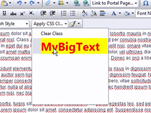
What if you want to add your own CSS styles to the HTML Editor. This video will show you how to setup your new CSS styles both inside and out of the HTML Editor in DotNetNuke.
Read More »
|
By Aderson Oliveira on
Wednesday, December 14, 2011
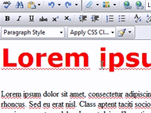
You were promised that DNN had a WYSIWYG (What You See Is What You Get) Editor, but the truth is that most of the time when you try to apply formatting to your text you see different things inside and outside the editor. This video will show you how to fix that in DotNetNuke once and for all!
Read More »
|
By Aderson Oliveira on
Friday, December 9, 2011
This video will show how you can use the flexibility of MyTokens module to accomplish a lot of interesting scenarios in DotNetNuke. This is part 2 of 2.
Read More »
|
By Aderson Oliveira on
Thursday, December 8, 2011
This video will show how you can use the flexibility of MyTokens module to accomplish a lot of interesting scenarios in DotNetNuke. This is part 1 of 2.
Read More »
|
By Aderson Oliveira on
Monday, December 5, 2011
This video will explain how you can use the symbol files to better debug and troubleshoot DotNetNuke and your own modules. This is part 2 of 2.
Read More »
|
By Aderson Oliveira on
Wednesday, November 30, 2011
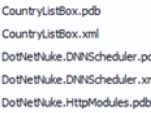
This video will explain how you can use the symbol files to better debug and troubleshoot DotNetNuke and your own modules. This is part 1 of 2.
Read More »
|
By Aderson Oliveira on
Friday, November 25, 2011
This video will show how you can use Evotiva's DNNGlobalStorage folder provider for DotNetNuke to store files on Amazon S3, Windows Azure or Dropbox. This is part 2 of 2.
Read More »
|
By Aderson Oliveira on
Wednesday, November 23, 2011
This video will show how you can use Evotiva's DNNGlobalStorage folder provider for DotNetNuke to store files on Amazon S3, Windows Azure or Dropbox. This is part 1 of 2.
Read More »
|
By Aderson Oliveira on
Friday, November 18, 2011
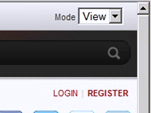
This quick video will show how to figure out why View and Edit mode options are showing up all the time in DotNetNuke regardless if you are logged in or not.
Read More »
|
By Aderson Oliveira on
Wednesday, November 16, 2011
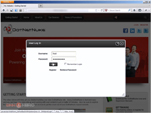
This quick video will show what seems to be a bug in DotNetNuke 6.1.1 - The login popup doesn't get closed after entering the login credentials. This happens when compression is set to GZip.
Read More »
|
By Aderson Oliveira on
Friday, November 11, 2011
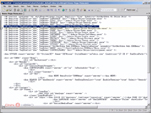
This video will show how you can use tokens in your DotNetNuke skins so that you can show information about the current user, the current page or the portal directly in the skin without the use of the HTML module. This is part 2 of 2.
Read More »
|
By Aderson Oliveira on
Monday, November 7, 2011
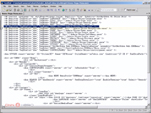
This video will show how you can use tokens in your DotNetNuke skins so that you can show information about the current user, the current page or the portal directly in the skin without the use of the HTML module. This is part 1 of 2.
Read More »
|
By Aderson Oliveira on
Friday, November 4, 2011
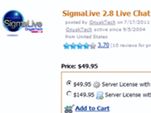
This video will show how to use the SigmaLive Chat module, from OnyakTech, to setup a live support chat feature for your DotNetNuke website. This is part 2 of 2.
Read More »
|
By Aderson Oliveira on
Thursday, November 3, 2011
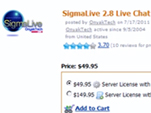
This video will show how to use the SigmaLive Chat module, from OnyakTech, to setup a live support chat feature for your DotNetNuke website. This is part 1 of 2.
Read More »
|