By Aderson Oliveira on
Tuesday, April 10, 2012
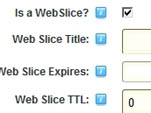
 This video will show you what a Web Slice is in DotNetNuke. I cannot say that Web Slices are popular as it is a feature of IE only, but at least you know. This video will show you what a Web Slice is in DotNetNuke. I cannot say that Web Slices are popular as it is a feature of IE only, but at least you know.
Read More »
|
By Aderson Oliveira on
Thursday, March 1, 2012
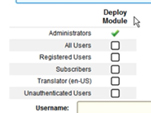
 This video will show what you need to do in order to disallow even an admin user from deploying a module in a page in DotNetNuke. This video will show what you need to do in order to disallow even an admin user from deploying a module in a page in DotNetNuke.
Read More »
|
By Aderson Oliveira on
Tuesday, February 28, 2012
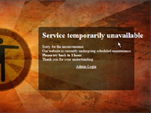
This video will show how you can use a module called Maintenance Mode to show a message telling your users that your DotNetNuke site is under maintenance.
Read More »
|
By Aderson Oliveira on
Tuesday, October 11, 2011
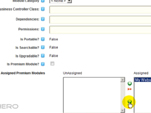
 This video will explain how you can hide a module (even from admin users) in DotNetNuke after using it in a page, and why you would want to do that. This video will explain how you can hide a module (even from admin users) in DotNetNuke after using it in a page, and why you would want to do that.
Read More »
|
By Aderson Oliveira on
Thursday, October 6, 2011
This quick video will show how you can disable the new pop up feature in DotNetNuke 6.
Read More »
|
By Aderson Oliveira on
Thursday, August 4, 2011
This video will show the new features available under Admin/Pages in DotNetNuke 6. Now it is very easy to manage your site's pages from one single location.
Read More »
|
By Aderson Oliveira on
Tuesday, July 12, 2011
This video will cover the topic of how to install a module in DotNetNuke.
Read More »
|
By Aderson Oliveira on
Thursday, April 7, 2011
This video will review a module called Pages Admin by "forDotNetNuke". With that module you can easily manage pages in bulk, rename, create, move them around and more.
Read More »
|
By Aderson Oliveira on
Friday, November 26, 2010
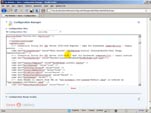
This video will talk about the new Configuration Manager module available in #DotNetNuke 5.6.0.
Read More »
|
By Aderson Oliveira on
Monday, November 8, 2010
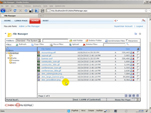
This video will explain the Auto-Sync file system option in DotNetNuke.
Read More »
|
By Aderson Oliveira on
Thursday, October 21, 2010
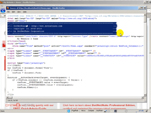
This video will show how you can remove the DotNetNuke brand message that appears at the top when you view the page source.
Read More »
|
By Aderson Oliveira on
Wednesday, September 8, 2010
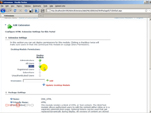
This video will show how to allow a non-administrator user to add modules to a page in DotNetNuke.
Read More »
|
By Aderson Oliveira on
Tuesday, July 20, 2010
This video will show how to activate the Ribbonbar Control Panel in case you have upgraded a site from an older version of DotNetNuke.
Read More »
|
By Aderson Oliveira on
Friday, July 16, 2010
This video will show the basic Workflow feature available in DotNetNuke.
Read More »
|
By Aderson Oliveira on
Thursday, July 15, 2010
 This video will highlight a new feature only available in DotNetNuke Professional Edition called File Integrity Checking.
Read More » This video will highlight a new feature only available in DotNetNuke Professional Edition called File Integrity Checking.
Read More »
|
By Aderson Oliveira on
Wednesday, July 14, 2010
This video will show how to get rid of the annoying Inline Editor in DotNetNuke.
Read More »
|
By Aderson Oliveira on
Wednesday, June 16, 2010
This video will go through the basics about panes in DotNetNuke.
Read More »
|
By Aderson Oliveira on
Tuesday, June 1, 2010
This video will explain what premium modules are and how to use this option in DotNetNuke.
Read More »
|
By Aderson Oliveira on
Friday, April 23, 2010
This video will show how to copy content from one portal to another portal in different sites. This is part 2 of 2.
Read More »
|
By Aderson Oliveira on
Thursday, April 22, 2010
This video will show how to copy content from one portal to another portal in different sites. This is part 1 of 2.
Read More »
|